


Table of Contents
The smartphone brand POCO has officially initiated the rollout of HyperOS 3 (Stable), based on Android 16, bringing a major firmware upgrade to its eligible lineup. Notably, the first device to receive this update is the widely-lauded POCO F7 Ultra.
In this post we’ll dive into the key features, benefits, supported models, and rollout details—everything you need to know if you own a POCO phone and want to stay up-to-date.
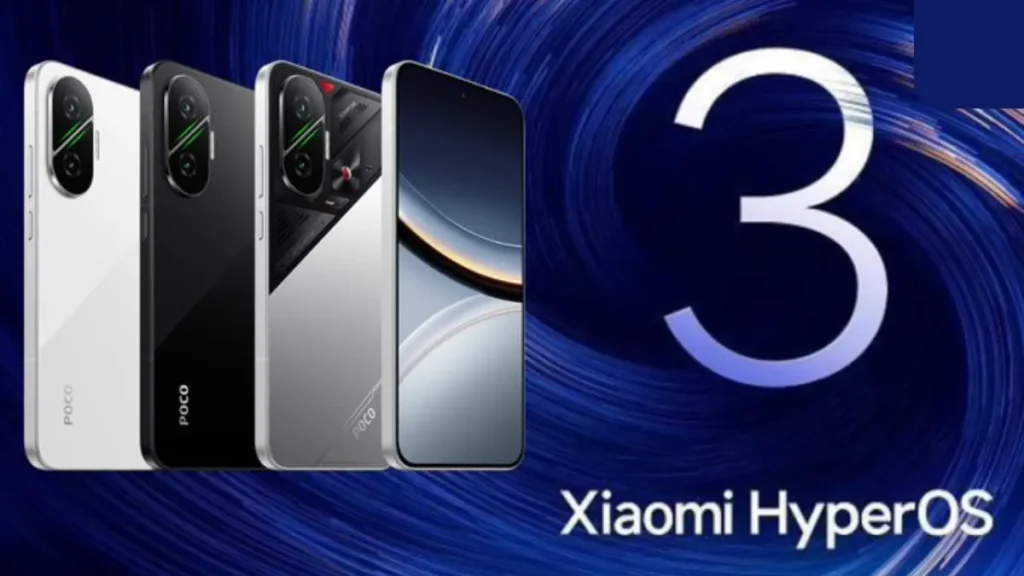
POCO Devices Start Receiving HyperOS 3 — full rollout details, Android 16 features, and improved user experience
What’s New in HyperOS 3 for POCO Devices – POCO Devices Start Receiving HyperOS 3
The update brings several important improvements, including:
- Built on Android 16, offering a future-ready foundation for performance, power management, security frameworks and long-term software support. XiaomiTime
- A redesigned user interface: new icons, more fluid animations, a layout that takes visual cues from iOS-style interfaces to deliver a more refined feel. XiaomiTime
- Advanced AI features: intelligent multitasking, app-usage prediction, smarter context detection and image/video-processing optimisation. XiaomiTime
- Performance optimisations: smoother animations, better background process management, improved battery life and efficiency thanks to Android 16 enhancements. Nokiamob
- New features for productivity & user experience: floating windows, improved gallery & search, animation overhaul and enhanced privacy/security controls. MIUI ROM
In short: if you have a compatible POCO device, HyperOS 3 promises to deliver a faster, smarter and more visually engaging experience.
Which POCO Devices Are Receiving HyperOS 3? – POCO Devices Start Receiving HyperOS 3
The initial rollout includes multiple devices from POCO. Here’s what the official and semi-official lists show:
- According to the article: the POCO F7 Ultra was the first POCO device to begin receiving the update. XiaomiTime
- Broader lists (global eligibility) mention devices such as POCO F7 Pro, POCO F7, POCO X7 Pro, POCO X7, and more.
- The update schedule spans flagship and mid-range POCO models, though availability may vary by region and carrier.
Important note: Even if your POCO device is listed as eligible, the OTA update may roll out gradually. Availability depends on region, network carrier and device build.
How to Install the Update on Your POCO Phone – POCO Devices Start Receiving HyperOS 3
If you own a POCO device and believe it’s eligible, follow these steps to check and install the update:
- Go to Settings → About phone → System update on your device. XiaomiTime
- Make sure your device is backed up and has sufficient battery (ideally >50 %) and free storage space.
- Connect to a Wi-Fi network to avoid mobile data charges and ensure a stable connection.
- Once the update appears, follow the on-screen instructions to download and install.
- After installation: explore the new features (lock-screen customisations, floating windows, redesigned gallery, etc.).
- If you don’t see the update yet, be patient—rollouts are often phased and may take days or weeks depending on region.
Why This Update Matters for POCO Users – POCO Devices Start Receiving HyperOS 3
- Software longevity: An Android 16 base means your device is better positioned for future apps, security patches and system optimisations.
- Improved performance: With optimisations for CPU load, animations and background management, everyday usage should feel smoother.
- Better visuals & UX: The redesign gives the system a modern look & feel, which enhances user satisfaction and perception of device value.
- Competitive edge: For POCO devices, receiving a major OS upgrade elevates their status in the value-smartphone segment and reassures users about support.
- Ecosystem readiness: With features like improved multitasking, cross-device connectivity and AI enhancements, the device is more future-proof.
Frequently Asked Questions (FAQs) – POCO Devices Start Receiving HyperOS 3
Will my POCO phone definitely get HyperOS 3?
If your device is on the official eligibility list then yes—but eligibility doesn’t guarantee immediate availability. Rollout timing varies by region.
Will I lose my data when updating?
A standard OTA update shouldn’t delete your data. However, as a best practice you should back up important files before installing major system updates.
My device is eligible but I don’t see the update yet—what do I do?
Wait a few days-to-weeks. Your carrier or region may be handling a staged rollout. You can also check online forums or the official POCO/Xiaomi community for status updates.
What if my POCO phone is not on the list?
If your model isn’t listed, it may not receive HyperOS 3. In that case you should still receive security patches, but major feature updates might not be available.
Final Thoughts
If you’re a POCO user and your device is listed for the HyperOS 3 update, it’s a good time to download and install the update. With its Android 16 foundation, performance and visual upgrades, and AI-driven features, HyperOS 3 represents a meaningful step forward for the POCO smartphone experience.
Keep an eye on your System Update section, back up your data, and prepare your device for the upgrade. And if you like, you can share your post-update experience—whether the system feels faster, smoother, or more refined.
Content information source:- https://xiaomitime.com/poco-devices-started-to-receive-the-hyperos-3-stable-update-72972/
Also Read:- Vivo S30 Pro mini: The Compact Flagship That Brings Big Power in a Small Size


