


Nothing OS 5.0 is shaping up to be one of the biggest software upgrades for Nothing phones. Built on Android 17, the new version brings a redesigned interface, deeper customization, smoother performance, enhanced AI features, improved privacy controls and several new Android capabilities.
Unlike a simple visual update, Nothing OS 5.0 focuses on the way users interact with their phones every day. From the redesigned home screen and lock screen to faster Bluetooth controls, Essential AI improvements and enhanced Quick Share, there are plenty of changes to explore.
In this guide, we explain the best Nothing OS 5.0 new features, what has changed, the biggest Android 17 additions and what users should know about the update.
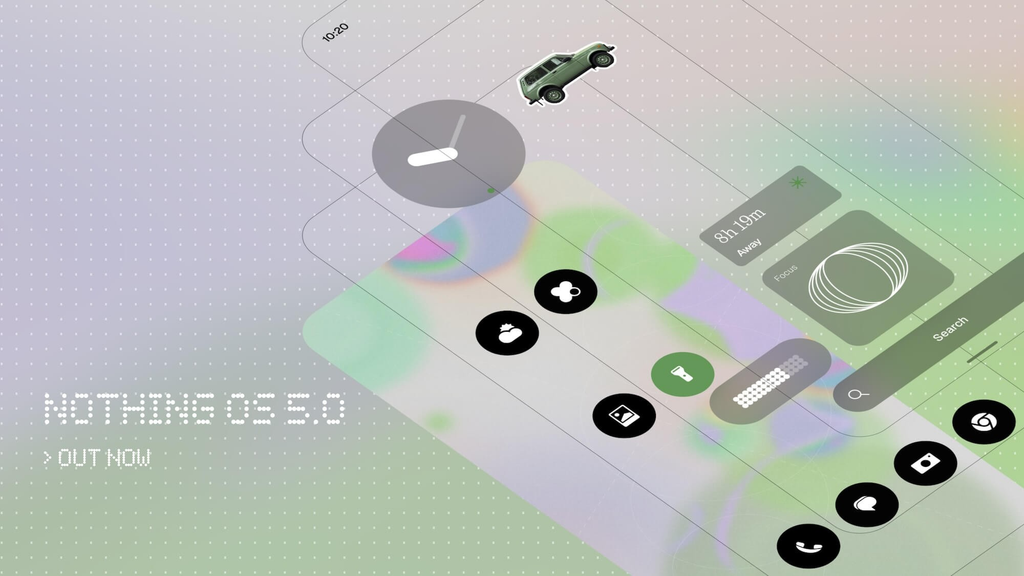
What Is Nothing OS 5.0?
Nothing OS 5.0 is the company’s latest major operating system update for compatible Nothing devices. It is based on Android 17 and combines Google’s latest Android improvements with Nothing’s own design language and Essential AI ecosystem.
The update introduces changes to the home screen, lock screen, Settings, Camera, Gallery, widgets, Glyph Interface, Essential Space and system controls. Nothing is also focusing heavily on personalization and smoother animations.
According to Nothing, the update brings improvements to everyday interactions including app launches, scrolling, touch response, multitasking and background app management.
Top Nothing OS 5.0 Features at a Glance
Here are some of the biggest Nothing OS 5.0 features:
- New Nothing OS design
- Geist system font
- Redesigned Settings
- Cleaner status bar
- Camera improvements
- New Gallery features
- Wallpaper-adaptive colors
- New lock screen clock styles
- Depth Effect wallpaper improvements
- Home screen batch editing
- Away Time widget
- Collector widget
- Dedicated Glyph app
- Glyph Timer widget
- Smoother animations
- Faster Bluetooth controls
- Improved Essential Voice
- Smart Collections in Essential Space
- Model Context Protocol support
- Essential Apps Builder on the phone
- Separate Notifications and Quick Settings
- Enhanced Quick Share
- Improved screen recording
- New privacy indicators
- Live Updates
- Noto 3D Emoji
- Expanded Dark Theme
- Separate Assistant volume
- Enhanced HDR brightness
- Redesigned Recents screen
Now let’s look at the most important features in detail.
1. Nothing OS 5.0 Gets a Fresh New Design
The first thing users are likely to notice is the refreshed visual design.
Nothing has updated typography, icons, spacing, materials, animations and system controls across the operating system. The changes extend beyond the home screen and can also be seen in areas such as Settings, Camera, Gallery, widgets and the status bar.
The goal isn’t to completely abandon the familiar Nothing OS appearance. Instead, the company is refining its existing design language and making different parts of the operating system feel more consistent.
2. Geist Is the New System Font
One of the more noticeable design changes is the introduction of Geist as the system typeface.
The new font is designed to improve readability while giving Nothing OS a more distinctive visual identity. Nothing has also adjusted text sizing, spacing and hierarchy across different parts of the interface.
For everyday users, this may seem like a small change, but typography can have a surprisingly large effect on how an operating system feels.
3. Redesigned Settings App
The Settings interface has also received a makeover.
Nothing OS 5.0 introduces updated icons, spacing and layouts, while commonly used categories are organized more clearly.
The result should make it easier to scan the Settings menu and find frequently used controls without navigating through unnecessarily complicated screens.
4. Cleaner and More Expressive Status Bar
The status bar has received custom-designed icons and more expressive animations.
Important indicators such as Wi-Fi, cellular signal and battery are designed to look clearer and more consistent.
Nothing is also introducing new visual privacy indicators that make it easier to understand when certain device functions are active.
5. Camera App Gets a Cleaner Interface
The Camera app is another area receiving attention in Nothing OS 5.0.
The update brings redesigned icons, cleaner controls and smoother animations. The interface is intended to make important controls easier to recognize while keeping the viewfinder uncluttered.
Improved QR Code Scanning
QR code scanning has also been refined.
Once a QR code is detected, the result remains in a fixed position instead of moving around with the QR code in the camera frame. This should make it easier to tap the detected result without repeatedly repositioning the phone.
6. Nothing Gallery Gets Better Organization
The Gallery app receives several practical improvements.
Users can now sort photos by Recently Added or Captured Date, and the selected sorting preference can be remembered.
There are also filtering options for:
- All
- Favourites
- Edited
- Photos
- Videos
- Screenshots
Sorting and filtering can be used together, giving users more control over large photo libraries.
The Albums section has also been redesigned, with frequently used albums receiving more prominent placement.
7. Wallpaper-Adaptive Home Screen
Personalization is one of the biggest themes of Nothing OS 5.0.
The redesigned home screen introduces wallpaper-aware colors that allow app icons and widgets to visually adapt to the wallpaper.
Widgets can use adaptive colors and transparent elements, while certain Quick Settings widgets can take stronger color cues from the wallpaper.
This creates a more cohesive look because changing the wallpaper can also change the visual character of parts of the home screen.
The redesigned home screen will be offered as an additional theme, meaning users can continue using the existing Nothing OS visual style if they prefer it.
8. New Nothing OS 5.0 Lock Screen Styles
The lock screen receives two new clock designs:
Gooey
Gooey uses a more playful and fluid visual style, making the lock screen look more expressive.
Micrographics
Micrographics takes inspiration from Nothing’s hardware design and presents information such as the time, date, weather and upcoming meetings in a more graphical layout.
Users can also select colors based on their wallpaper, providing more lock screen customization.
9. Depth Effect Wallpaper Improvements
Nothing OS 5.0 also improves the Depth Effect wallpaper experience.
Users can reposition and resize the image around the clock and other lock screen information. When the image doesn’t completely fill the available space, blur and translucent effects can extend the background to create a smoother appearance.
10. Home Screen Batch Editing
Moving multiple apps and widgets around a home screen can be annoying when every item has to be moved individually.
Nothing OS 5.0 addresses this with batch editing.
Users can select multiple apps or widgets and move them together, including between different home screen pages.
For people who frequently reorganize their phone, this could become one of the most useful Nothing OS 5.0 features.
11. Away Time Widget
The new Away Time widget takes a different approach to digital wellbeing.
Instead of blocking apps or imposing strict screen-time limits, it tracks periods when you put your phone down.
This can help users understand patterns such as how long their longest breaks are and how frequently they step away from their device.
12. Collector Widget
The Collector widget is a more creative addition.
Users can capture something with the Camera or select a picture from Gallery and turn it into part of a visual collection.
For example, you could create collections around:
- Sneakers
- Cars
- Coffee
- Gaming
- Bikes
- Food
- Models
- Travel
These collections can then be displayed on the home screen or lock screen.
13. Dedicated Glyph Interface App
Nothing’s signature Glyph Interface is becoming easier to manage.
Nothing OS 5.0 introduces a dedicated Glyph Interface app that brings supported Glyph features, sounds, ringtones and schedules together in one location.
Instead of searching through different Settings menus, users get a dedicated place to customize the Glyph experience.
14. Glyph Timer Widget
The Glyph Timer can now be launched directly from a home screen widget.
After starting a countdown, the Glyph lights on the back of the phone can visually indicate the remaining time.
This means you can check a timer without constantly turning on the display.
15. Nothing OS 5.0 Promises Smoother Performance
Nothing OS 5.0 isn’t only about appearance.
The update focuses on improving everyday performance, including:
- App launching
- Scrolling
- Touch response
- Multitasking
- Background app behavior
Nothing says smarter background management can prioritize the app currently being used while keeping frequently accessed apps ready in the background.
That should help reduce unnecessary app reloads and make switching between applications feel smoother.
16. More Natural Animations
Nothing OS 5.0 also improves how animations respond to gestures.
For example, if you begin opening something and then reverse the gesture, supported animations can respond to the new direction instead of simply completing the original animation.
This behavior is designed to make interactions feel more directly connected to your touch.
17. Faster Bluetooth Controls
Bluetooth controls are getting a useful Quick Settings redesign.
Nearby Bluetooth devices can be easier to find, and supported devices can be connected or disconnected with fewer steps.
For users who frequently switch between wireless earbuds, speakers, cars and other accessories, this small change could save time every day.
Nothing OS 5.0 Essential AI Features
AI is another major part of the new update.
Nothing OS 5.0 expands Essential Voice, Essential Space and Essential Apps, turning them into a more integrated productivity ecosystem.
18. Improved Essential Voice
Essential Voice is becoming faster and better at formatting transcriptions.
Instead of producing one large block of text, the system can better understand when information should be organized as separate points or lists.
Real-time transcription also allows users to see words appearing while they speak.
Nothing says real-time translation is planned for a later release, potentially making multilingual conversations easier to follow.
19. Smart Collections in Essential Space
Essential Space gets a feature called Smart Collections.
The idea is simple: instead of manually organizing every capture, Essential Space can identify related information and recommend content for existing collections.
It can also recognize when several captures appear to belong to the same topic and suggest creating a new collection.
This could be particularly useful for people who use their phone to save ideas, notes, screenshots and other information throughout the day.
Nothing OS 5.0 brings a major design refresh, a more adaptive home screen, new ways to use widgets, faster and smoother animations, improved Essential AI tools and the best of Android 17.
Open Beta starts tomorrow with Phone (3). pic.twitter.com/W5Hdk9np0S
— Nothing (@nothing) August 25, 202620. Essential Space Adds Model Context Protocol
Nothing OS 5.0 also introduces Model Context Protocol (MCP) support for Essential Space.
MCP allows compatible AI platforms to search and read selected information stored in Essential Space.
For the initial implementation, Nothing says the access is read-only, meaning compatible tools cannot modify the information stored there. The company says MCP support is planned to roll out through Google Play in October.
21. Build Essential Apps Directly on Your Phone
One of the most interesting Nothing OS 5.0 features is the ability to build Essential Apps directly from the phone.
Previously, building Essential Apps happened through the web. With the new Essential Apps Builder, users can describe what they want in natural language, preview the result, make changes and place the finished tool on their home screen.
In other words, you can describe a small tool or widget instead of manually writing code.
The feature remains in beta and access is being expanded gradually.
Android 17 Features in Nothing OS 5.0
Because Nothing OS 5.0 is based on Android 17, the update also includes several platform-level improvements.
22. Separate Notifications and Quick Settings
Users can choose to separate Notifications and Quick Settings into different panels.
With split mode enabled:
- Swipe down from the left for Notifications
- Swipe down from the right for Quick Settings
Users who prefer the traditional combined layout can continue using it.
23. Enhanced Quick Share
Quick Share receives an especially useful cross-platform improvement.
Nothing OS 5.0 can generate a QR code when sharing files. Another person can scan the code using an iPhone or Android phone, after which a secure web link can be opened to download the shared files.
This could make file sharing between different mobile ecosystems considerably easier.
24. Improved Screen Recording
Screen recording controls now use a floating action capsule.
The controls remain easier to access while recording instead of disappearing into another part of the interface.
25. New Privacy Indicators
Nothing OS 5.0 introduces a three-color indicator system:
- Green: sensitive device access
- Blue: location activity
- Yellow: AI data processing
These indicators are intended to give users a quick visual understanding of what the phone is doing.
26. Better Location Permissions
Location permission prompts have also been updated.
The goal is to make it clearer when an application requests location access and what level of permission is being granted.
This gives users more information before approving access.
27. Live Updates in the Status Bar
Compatible applications can display ongoing information directly in the status bar through Live Updates.
Up to two Live Updates can appear simultaneously, and tapping an update expands it into the related notification.
This can reduce the need to repeatedly open an app just to check an ongoing activity.
28. Noto 3D Emoji
Android 17 brings Noto 3D Emoji, giving supported emoji a more dimensional appearance.
Nothing OS 5.0 includes these Android platform additions alongside new Unicode emoji.
29. Expanded Dark Theme
The Dark Theme is becoming more flexible.
Nothing OS 5.0 can extend dark styling to more apps, including some applications that don’t provide a complete dark theme of their own.
Users can also control the behavior on an app-by-app basis.
30. Separate Assistant Volume
Digital assistants now have an independent volume control.
That means you can reduce media volume without necessarily making assistant responses too quiet.
31. Enhanced HDR Brightness
Enhanced HDR Brightness allows supported HDR photos and videos to appear brighter and more vivid without increasing the brightness of the entire interface.
This can make highlights in HDR content stand out while keeping the rest of the screen at a comfortable brightness.
32. Redesigned Recents Screen
The Recents interface also receives a small usability improvement.
A pill-shaped menu appears at the top of app cards, making actions such as Split Screen and App Info easier to access.
Is Nothing OS 5.0 a Major Update?
Yes. Nothing OS 5.0 is more than a visual refresh.
The update combines four major areas:
Design: A refreshed interface, Geist font, redesigned Settings, new home screen and lock screen customization.
Performance: Faster interactions, improved memory management, smoother animations and better Bluetooth controls.
AI: Improvements to Essential Voice and Essential Space, Smart Collections, MCP support and on-device Essential Apps creation.
Android 17: New Quick Share functionality, privacy indicators, Live Updates, expanded Dark Theme, Noto 3D Emoji and other system-level improvements.
Nothing’s official feature overview describes the update as a broad evolution across design, personalization, performance and AI rather than a single headline feature.
Nothing OS 5.0 vs Previous Nothing OS Versions
The biggest difference is the broader level of customization and intelligence.
Earlier Nothing OS versions established the company’s distinctive monochrome-inspired interface and Glyph experience. Nothing OS 5.0 builds on that foundation with wallpaper-aware colors, new widgets, more flexible home screen editing and deeper integration of AI-powered tools.
At the same time, Nothing has retained the ability for users to choose between different visual styles instead of forcing everyone into the new design.
Final Verdict
Nothing OS 5.0 could be one of the most significant Nothing OS updates yet.
The update combines a redesigned interface with practical improvements that users may notice every day. Features such as home screen batch editing, faster Bluetooth controls, improved Gallery organization and better animations focus on usability, while essential apps, Smart Collections and MCP support show where Nothing sees AI fitting into the smartphone experience.
The Android 17 foundation also adds important improvements to sharing, privacy, dark mode, screen recording and system navigation.
For Nothing phone users, the most interesting question may not be whether the update looks different, but how much easier the phone becomes to personalize, control and use.
As Nothing continues rolling out Nothing OS 5.0, availability of individual features can vary by device, release stage and beta/general-release status. Nothing’s official announcement should be checked for the latest compatibility and rollout information.
Frequently Asked Questions
What is Nothing OS 5.0 based on?
Nothing OS 5.0 is based on Android 17 and combines Android platform improvements with Nothing’s own interface, customization and Essential AI features.
What are the biggest Nothing OS 5.0 new features?
Major additions include a redesigned interface, wallpaper-adaptive home screen, new lock screen clocks, Glyph controls, smoother animations, Essential AI improvements, Essential Apps Builder, Smart Collections, enhanced Quick Share and improved privacy controls.
Does Nothing OS 5.0 have AI features?
Yes. Nothing OS 5.0 expands Essential Voice, Essential Space and Essential Apps. It also introduces Smart Collections, MCP support and the ability to build Essential Apps directly on compatible phones.
Does Nothing OS 5.0 improve performance?
Yes. Nothing says the update improves app launches, scrolling, touch response, multitasking and background app management.
What Android version does Nothing OS 5.0 use?
Nothing OS 5.0 is built on Android 17.
Is Nothing OS 5.0 worth updating to?
For compatible devices, the update offers substantial changes in design, personalization, performance, AI and Android functionality. Whether you should install a beta version depends on how comfortable you are with possible bugs and unfinished features; the general release is the better choice for users who prioritize stability.

