If you own a realme phone, 2025’s major update — realme UI 7.0, based on Android 16 — is a game-changer. It promises a smarter, faster, and more personalized user experience. The update isn’t just a facelift: with fresh design, AI-powered tools, and system-level optimizations, realme UI 7.0 aims to redefine how you interact with your phone daily.
Whether you’re a power user or casual smartphone owner, this upgrade brings visible improvements — from smooth animations to smarter multitasking and enhanced privacy controls.
What’s New: realme UI 7.0 Key Features – realme UI 7.0 Based on Android 16
Here’s a breakdown of the headline features that make realme UI 7.0 compelling:
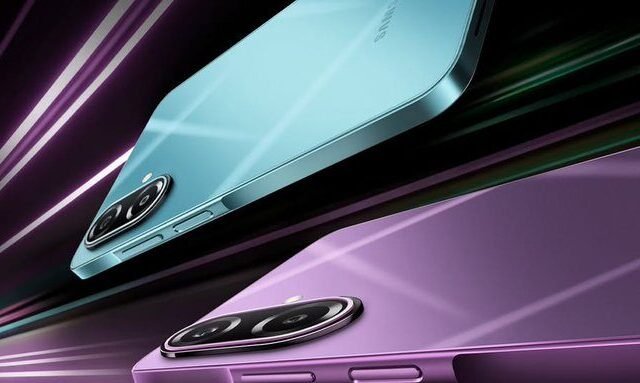
- Light Glass Design & New UI Visuals — The interface receives a major makeover with a glass-inspired look: subtle translucency, depth, and frosted effects. Expect a “Misty Glass Control Center,” an animated “Breathing Dock” for apps, and redesigned “Ice Cube Icons.”
- Flux Theme 2.0, Live Wallpapers & Customization — Customize lock screens, pick Live Photos or video wallpapers, enjoy dynamic themes, and tweak icon layouts and fingerprint animations for a personalized feel. The Indian Express
- AI-Powered Tools & Smart Features —
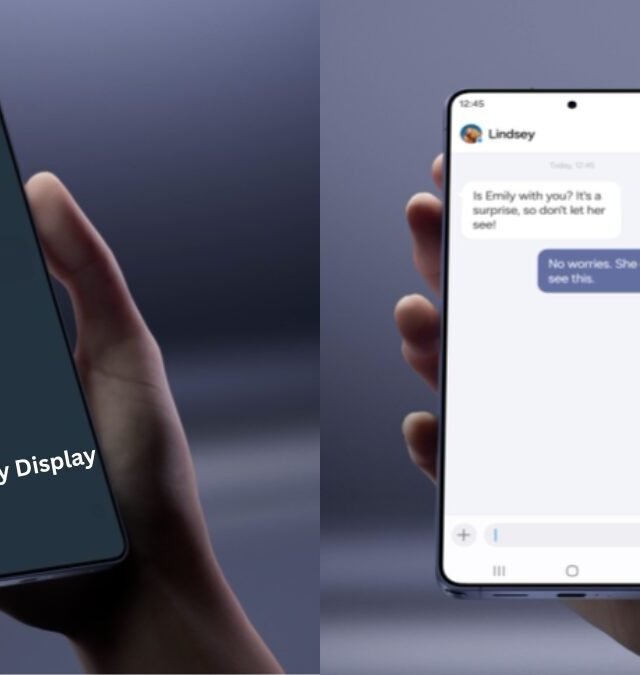
- AI Notify Brief: Automatically summarizes non-urgent notifications into concise morning/evening briefings.
- AI Framing Master: Offers intelligent framing suggestions while taking photos — handy for casual photographers wanting better shots.
- AI Gaming Coach: Optimizes performance for games; earlier reports cite smoother gameplay and better resource handling.
- Performance & Optimizations: Flux Engine — Under the hood, the update delivers tangible speed enhancements: faster touch response, smoother app loading and transitions, more efficient multitasking, and improved stability.
- Improved UX & System-Level Upgrades — Expect cleaner animations, reorganized app layouts, updated control center, enhanced privacy features (thanks to Android 16 foundation), and better background task handling.
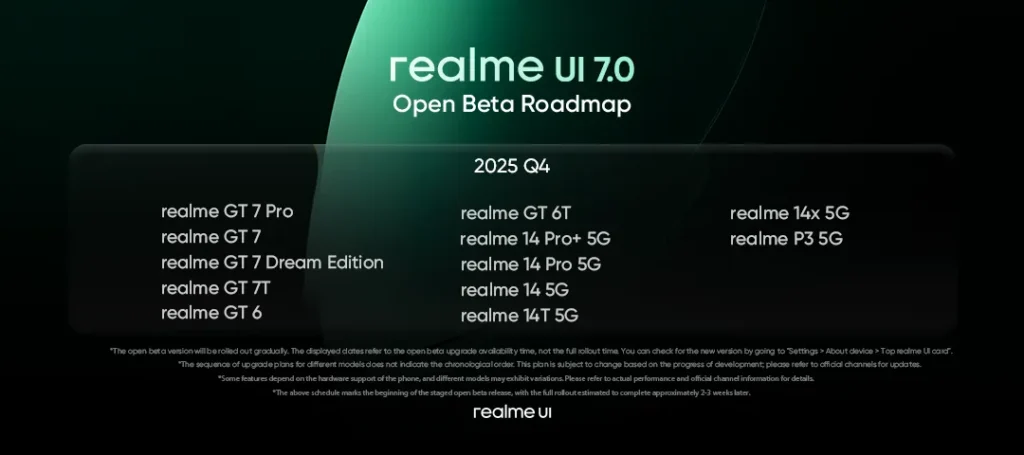
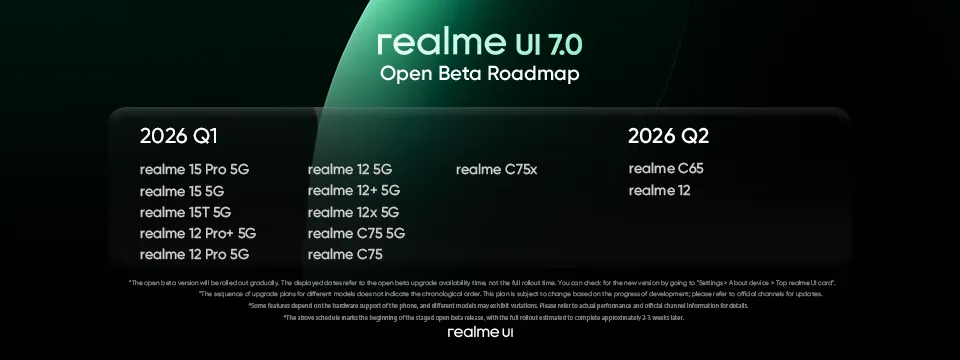
Who Gets It & When — Rollout & Beta Roadmap – realme UI 7.0 Based on Android 16
- The update debut came with realme GT 8 Pro — realme UI 7.0 ships preinstalled on this flagship device.
- The Open Beta rollout began in Q4 2025, with a phased release to multiple eligible devices — gradually expanding to additional models over time. mint
- Eligible devices include models from the GT series, P series, Narzo lineup, and more mid-range phones — though the exact list may vary depending on region and hardware support. UnlockBase
- As with any phased release: availability depends on region, device model, and hardware compatibility — so keep an eye on official announcements.
Should You Update Now? Pros & Things to Keep in Mind
Why you should update:
- If you want a fresh look and feel — the Light Glass Design and customisation options are a major upgrade over previous UIs.
- If you love performance, smoothness and multitasking — Flux Engine optimizations make everyday tasks snappier and more fluid.
- If you enjoy AI-powered conveniences — features like AI Notify Brief and AI Framing Master add smart touches without much effort.
Things to watch out for:
- Since it’s a beta rollout, you might encounter bugs or minor glitches — better to backup important data before updating.
- Some features depend on hardware support, so older or budget devices might not get the full experience.
- Global rollout times vary: your region might get the stable build later — patience pays off.
How to Check & Install realme UI 7.0 Beta on Your Device
- Go to Settings → About Phone → Software Update
- Look for the “Top realme UI card” (or check Software Update menu)
- If your device is eligible and the build is available for your region — you should see the Beta update option
- Before installing: back up your data (photos, contacts, important app data), especially when switching major OS/firmware versions
- Update and enjoy — after installation, explore new themes, live wallpapers, AI-powered tools, and refreshed UI
Final Thoughts: realme UI 7.0 — A Worthy Upgrade
realme UI 7.0 marks a bold leap for the brand. It blends aesthetics, performance, and AI features to deliver a more refined, modern smartphone experience. If you’re ready for smoother animations, smarter tools, and a fresh interface — this update is worth the wait.
Whether you’re into photography, productivity, gaming, or simply want a sleek and efficient UI — realme UI 7.0 offers something for all users. Keep your device updated, follow official channels for rollout info, and enjoy the next-gen realme experience.
Content information source:- https://c.realme.com/global/post-details/1996868257114578944
Also Read:- Realme C85 5G Launched: A Budget Powerhouse with 7000mAh Battery & 5G Speed